
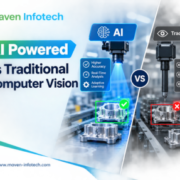
AI powered vs traditional computer vision

AI-Powered Computer Vision Development vs. Traditional Computer Vision Solutions: Which Is Better for Manufacturing Quality Control?

Manufacturing quality control is becoming increasingly automated as companies look for faster, more accurate, and more consistent ways to identify product defects. Computer vision technology has emerged as an important part of modern inspection systems, allowing cameras and software to inspect products without relying entirely on manual checks.

However, manufacturers often face an important question:

Should they use traditional computer vision or invest in AI-powered computer vision development for quality control?

The answer depends on the type of products being inspected, the complexity of defects, production conditions, and the level of flexibility required.

What Is Computer Vision in Manufacturing?

Computer vision uses cameras, sensors, image-processing software, and algorithms to analyze products during the manufacturing process.

A computer vision quality control system can inspect products for issues such as:

  • Surface defects
  • Incorrect dimensions
  • Missing components
  • Misalignment
  • Scratches and cracks
  • Color variations
  • Assembly errors
  • Packaging defects
  • Label placement
  • Product shape abnormalities

Instead of depending entirely on human inspectors, automated vision systems can continuously monitor products on a production line and identify potential quality problems.


What Is Traditional Computer Vision?

Traditional computer vision generally relies on predefined rules and image-processing techniques.

These may include:

  • Edge detection
  • Thresholding
  • Pattern matching
  • Shape recognition
  • Contour detection
  • Color analysis
  • Image filtering
  • Geometric measurements

For example, suppose a manufacturer needs to determine whether a component is correctly positioned on a circuit board. A traditional vision system can be programmed to compare the component’s position against predefined coordinates.

If the component is outside the acceptable range, the system can flag the product.

Advantages of Traditional Computer Vision

Traditional systems can be highly effective when the inspection environment is predictable.

Key benefits include:

1. Predictable performance

When defects and inspection conditions are consistent, rule-based systems can deliver reliable results.

2. Less training data

Traditional systems generally don’t require large datasets for model training.

3. Easier interpretation

The inspection rules are explicitly defined, making it easier to understand why a product was rejected.

4. Fast processing

Simple image-processing operations can often be performed quickly, which is important for high-speed manufacturing lines.

5. Suitable for straightforward inspections

Tasks involving fixed dimensions, positions, shapes, or colors can often be handled effectively using traditional approaches.


What Is AI-Powered Computer Vision?

AI-powered computer vision uses technologies such as machine learning and deep learning to analyze images and identify patterns.

Instead of defining every possible defect through individual rules, an AI model can be trained using examples of acceptable and defective products.

For example, a manufacturer could provide thousands of images containing:

  • Good products
  • Scratched products
  • Cracked products
  • Misaligned products
  • Deformed products
  • Contaminated products

The AI model learns visual patterns from this data and uses them to classify or detect defects in new images.

This makes AI-powered computer vision particularly useful when defects are difficult to describe using simple rules.


AI-Powered vs. Traditional Computer Vision

The two approaches are not necessarily competitors. In many manufacturing environments, they can complement each other.

Factor Traditional Computer Vision AI-Powered Computer Vision
Rule-based inspection Excellent Possible
Complex defect detection Limited Strong
Training data requirements Low Higher
Adaptability Lower Higher
Fixed inspection conditions Very suitable Suitable
Variable products More difficult Better suited
Implementation complexity Generally lower Generally higher
Explainability High Can require additional analysis
Continuous improvement Requires rule changes Models can be retrained
Complex surface inspection Challenging Often better suited

When Traditional Computer Vision May Be the Better Choice

AI isn’t automatically the right solution for every manufacturing inspection problem.

Traditional computer vision can be a practical option when the inspection criteria are clearly defined and rarely change.

For example, consider a production line where every product must have a specific hole diameter.

The system only needs to:

  1. Locate the hole.
  2. Measure its diameter.
  3. Compare it against acceptable limits.
  4. Pass or reject the product.

A traditional vision system may accomplish this efficiently without requiring a large AI training dataset.

Traditional computer vision can therefore be suitable for:

  • Dimension measurement
  • Presence/absence detection
  • Fixed-position inspection
  • Barcode and text recognition
  • Simple alignment checks
  • Basic shape detection
  • Consistent color inspection

When AI-Powered Computer Vision May Be Better

AI-powered computer vision becomes particularly valuable when visual inspection involves complex or variable defects.

Consider a manufacturer inspecting painted metal components.

A traditional system might struggle to create rules for every possible combination of:

  • Scratches
  • Uneven coating
  • Surface marks
  • Texture differences
  • Small dents
  • Lighting variations

An AI model can potentially learn these patterns from a sufficiently representative dataset.

AI-powered vision can be particularly useful for:

1. Surface Defect Detection

AI can be trained to recognize subtle surface abnormalities that may be difficult to define using traditional image-processing rules.

2. Product Classification

Manufacturers can use AI models to classify products according to different visual characteristics.

3. Complex Assembly Inspection

AI can help identify incorrect or incomplete assemblies where multiple components and configurations need to be considered.

4. Variable Manufacturing Conditions

Production environments can change because of lighting, materials, product variations, or equipment changes. AI-based systems can potentially be adapted through appropriate data and retraining.

5. Anomaly Detection

AI-based approaches can be used to identify unusual visual patterns that don’t necessarily correspond to a predefined defect rule.


The Importance of Training Data

One of the biggest differences between traditional and AI-powered computer vision is the role of data.

An AI inspection system is only as good as the data used to develop and evaluate it.

Manufacturers may need images representing:

  • Normal products
  • Different defect types
  • Different defect sizes
  • Different lighting conditions
  • Different product variants
  • Different production batches
  • Real-world variations

The dataset should also be properly labeled and representative of the conditions under which the system will operate.

Poor-quality or overly limited training data can result in unreliable predictions.


Accuracy Isn’t the Only Consideration

When evaluating computer vision for manufacturing quality control, accuracy should not be considered in isolation.

Manufacturers should also evaluate:

False Positives

A good product is incorrectly classified as defective.

Too many false positives can increase waste and unnecessary manual inspections.

False Negatives

A defective product is classified as acceptable.

This can be particularly important when defects could affect safety, performance, or customer satisfaction.

Processing Speed

The system needs to analyze products quickly enough to keep up with the production line.

Integration

The vision system may need to communicate with:

  • PLCs
  • Robotic systems
  • Manufacturing execution systems
  • Industrial databases
  • Quality management systems
  • Production monitoring platforms

Scalability

A solution should ideally be capable of supporting additional products, production lines, or inspection requirements when needed.


Why a Hybrid Approach Can Make Sense

Manufacturers don’t necessarily have to choose between traditional and AI-powered computer vision.

A hybrid computer vision system can combine both approaches.

For example:

Traditional computer vision can handle:

  • Measurements
  • Geometric checks
  • Fixed-position verification
  • Barcode detection

while AI-powered vision handles:

  • Surface defects
  • Complex visual classification
  • Anomaly detection
  • Variable product characteristics

This approach can allow each technology to perform the tasks for which it is best suited.


Key Factors to Consider Before Choosing a Solution

Before implementing an automated visual inspection system, manufacturers should consider the following:

Product Characteristics

Are the products identical, or are there many variations?

Defect Complexity

Can defects be described using simple rules, or are they visually complex?

Production Speed

How many products need to be inspected per minute?

Available Data

Are sufficient images of defective and non-defective products available?

Environmental Conditions

How much do lighting, positioning, materials, and other conditions vary?

Cost of Errors

What is the business impact of missing a defective product versus rejecting a good one?

Future Requirements

Will inspection requirements change as new products or defect types are introduced?


AI-Powered Computer Vision vs. Traditional: Which Should Manufacturers Choose?

There is no universal answer.

Traditional computer vision can be an effective solution for structured, predictable, rule-based inspections where the environment and inspection criteria remain relatively stable.

AI-powered computer vision can be advantageous when manufacturers need to detect complex defects, handle product variation, identify subtle visual patterns, or adapt to changing inspection requirements.

In many cases, the most practical strategy is not choosing one technology exclusively but designing a computer vision quality control system that combines traditional image processing and AI where appropriate.

The right approach should be determined by the specific inspection requirements, available data, production environment, performance targets, integration requirements, and overall cost of implementation.

Conclusion

The evolution from traditional computer vision to AI-powered computer vision is giving manufacturers new possibilities for automated quality inspection. AI can make visual inspection more adaptable and capable of handling complex patterns, while traditional computer vision remains valuable for fast, deterministic inspection tasks.

For manufacturers considering automation, the goal shouldn’t simply be to choose the newest technology. Instead, the focus should be on selecting the right computer vision approach for the specific quality control problem.

When properly designed and integrated into the production workflow, computer vision can help manufacturers improve inspection consistency, reduce manual effort, identify defects earlier, and build more data-driven quality control processes.

Top Ways Advanced AI Assistants Boost Ecwid Store Revenue and Customer Experience

Many Ecwid merchants hear “AI” and picture a chatbot that answers “Where’s my order?” with a canned response. That’s not what we’re talking about. Many advanced AI assistants available in 2026 are action-taking systems: they maintain context across sessions, connect to live order data, update carts, and initiate conversations before a shopper even asks a question. The gap between a rule-based chat widget and a properly integrated AI assistant is not incremental. It’s the difference between a FAQ page and a skilled sales associate.

At Maven Infotech, we’ve integrated these systems into Ecwid storefronts and React Native mobile apps for clients across retail, fashion, and specialty goods. What follows are the concrete use cases, the technical architecture behind them, the privacy considerations merchants can’t ignore, and the numbers that tell you it’s actually working.

What advanced AI assistants actually do for an Ecwid store

The term “AI assistant” covers a wide range. A rule-based chatbot that matches keywords to canned responses qualifies in the loosest sense. What we’re describing is something materially different: a system that reasons across multiple steps, retains shopper context between sessions, and executes actions inside connected tools without requiring a human to approve every move.

Beyond the chatbot: what makes an assistant genuinely advanced

A genuinely advanced assistant maintains persistent memory across sessions, executes multi-step reasoning, and calls external tools through live API connections. For an Ecwid store, that means pulling a live order status, checking inventory, applying a discount, or updating a cart without human intervention, capabilities supported by Ecwid’s REST API order and product endpoints. Static FAQ widgets and keyword-matching bots can’t do any of that. The systems that can are often called conversational AI assistants or autonomous assistants in vendor documentation, but the capability distinction is what matters, not the label.

How agentic AI changes the shopping experience

The shift from reactive to proactive is the defining characteristic of agentic AI. A reactive assistant waits for a question. A proactive assistant notices that a customer has had the same item in their cart for 48 hours, sees that stock is running low, and sends a targeted nudge through the mobile app. That’s the model we build for Ecwid merchants: context-aware, event-driven, and connected to live store data through Ecwid’s REST APIs. The use cases below are all expressions of this model in practice.

Use cases that directly move revenue

Automated customer support that scales without headcount

Order status, shipping timelines, return eligibility, and product specs are among the most common inbound support queries in e-commerce, and they’re exactly what an AI assistant connected to Ecwid’s Orders API handles with live data, not guesses. The endpoint GET /api/v3/{storeId}/orders/{orderId} returns full order detail in real time, so the assistant’s response reflects the actual fulfillment state of that specific order, not a generic template. In our client deployments, this approach has produced first-contact resolution rates above 70% for common queries, with human agents handling only escalations that genuinely require judgment.

Advanced AI assistants for personalized product recommendations and guided shopping flows

Static “customers also bought” widgets use aggregate purchase patterns from the full customer base. An AI assistant uses the current session: what the shopper has viewed, what’s in their cart, what they’ve bought before, and which products they’ve skipped past. The recommendation engine builds features from browsing behavior, purchase frequency, preferred categories, and real-time cart context, then ranks catalog matches against all of those signals simultaneously. The result is a guided shopping flow where the assistant actively narrows a large catalog down to a handful of relevant choices through a short conversation, for example, helping a shopper move from 500 options to three targeted recommendations. That’s the difference between a widget and a shopping associate.

Order management and post-purchase automation

Post-purchase is where most merchants leave retention on the table. Proactive AI assistants handle shipment notifications, return initiation, reorder prompts, and loyalty nudges by listening to order state changes through Ecwid’s webhook system. The merchant configures the rules once; the assistant executes them at scale for every qualifying order. In our experience, repeat purchase rate within 90 days is the retention metric that responds most reliably to this approach, because the assistant reaches shoppers at precisely the moment they’re most likely to re-engage.

How the technical stack connects

The integration pattern we use at Maven Infotech is consistent across projects, which means predictable build costs and easier long-term maintenance for clients. Understanding it helps merchants evaluate what they’re actually building, and what they’re paying for, when they invest in an AI assistant integration.

The backend layer: Laravel, Ecwid APIs, and the AI engine

A Laravel backend acts as the integration hub. It authenticates with Ecwid’s REST APIs, manages session context for the assistant, handles webhooks for order events, and passes structured data to the AI model via the OpenAI API or a compatible LLM endpoint. A simplified version of the pattern looks like this:

$messages = [
    ['role' => 'system', 'content' => 'You are a helpful Ecwid store assistant.'],
    ['role' => 'system', 'content' => 'Order context: ' . json_encode($orderData)],
    ['role' => 'user',   'content' => $shopperMessage],
];

$result = OpenAI::chat()->create([
    'model'    => 'gpt-4o-mini',
    'messages' => $messages,
]);

The key design decision is what context to inject before the model responds. Cart contents, order history, inventory levels, and active promotions are retrieved from Ecwid’s APIs first, then passed to the model as structured context. The model acts as the natural-language layer over your store data. It reasons against real information rather than generating plausible-sounding guesses.

The frontend layer: React, React Native, and the shopper interface

On the web, the assistant surfaces as an embedded chat widget inside the React-based Ecwid storefront. On mobile, it runs as a native in-app assistant inside the React Native app. UX decisions matter as much as the technical architecture: the assistant appears contextually, triggered by cart abandonment or by a product page visit above a certain dwell threshold, rather than as a persistent overlay that frustrates users trying to browse. Mobile adds push notifications and, for some clients, camera-based product search. Human handoff is explicit and immediate whenever the assistant reaches the edge of what it can reliably handle.

Data privacy and what your shoppers need to know

An AI assistant integration collects session transcripts, behavioral signals, order history, and personally identifiable information. Merchants carry real responsibility for how that data is handled, both for regulatory reasons and because shopper trust directly affects conversion.

What data the assistant collects and how to store it responsibly

The principle we apply is minimal data posture: collect only what the assistant needs to function. Conversation data is stored with defined retention windows (90 days for session transcripts is a reasonable starting policy, though retention practices vary across providers), encrypted at rest, and deleted on schedule without manual intervention. Under CCPA, California-based shoppers have rights to access, deletion, and opt-out of data sale. A well-architected system supports those requests through automated tooling rather than spreadsheets and manual exports.

Consent, transparency, and building shopper trust

Shoppers need to know they’re talking to an AI assistant from the first message. A clear disclosure at the start of every session, an opt-out mechanism, and a privacy notice that specifically covers AI data use are the baseline, not optional additions. This isn’t only about compliance. Research linking transparency to consumer engagement suggests that shoppers who understand what the assistant does and trust that their data is handled responsibly tend to engage more, abandon less, and convert at higher rates. Transparency is a conversion lever, not just a legal requirement.

How advanced AI assistants improve the KPIs that matter

Measuring impact is not optional. It’s how you justify the investment, identify what to improve, and build the business case for expanding the integration to additional channels or use cases.

Conversion and revenue metrics

Track four numbers from day one: assisted conversion rate (purchases where the assistant was active during the session), average order value for assistant-assisted sessions versus unassisted sessions, cart abandonment rate before and after deployment, and product recommendation click-through rate. Pull session data from the assistant’s logs and cross-reference with Ecwid’s analytics to isolate the assistant’s contribution rather than attributing all conversion improvement to it by default.

Service and retention metrics

First-contact resolution rate, average response time, and CSAT score on assistant interactions tell you whether the assistant is actually helping shoppers or generating noise they’ve learned to dismiss. For mobile experiences, add push notification open rate and in-app session depth as indicators of whether proactive outreach is resonating. Repeat purchase rate within 90 days remains the retention metric that matters most: it captures whether the post-purchase experience is building loyalty or being ignored entirely.

A real build: Maven Infotech’s AI-powered Ecwid integration

The client brief and what we built

A mid-size retail brand came to us with three connected problems: support volume had outpaced their team, product discovery rates on their Ecwid storefront were flat, and post-purchase churn was costing them repeat business they should have retained. We designed and built a Laravel-backed AI assistant layer connected to Ecwid’s Orders, Customers, and Products APIs; a React-embedded chat widget for the web storefront; and an in-app assistant inside their React Native mobile app. Persistent session memory, order-aware responses, and proactive reorder prompts were built into the architecture from the start, not added as afterthoughts.

Results from a single client deployment

Within 90 days of deployment, human-handled support tickets dropped by roughly 60%. Average order value for assistant-assisted sessions ran 18 to 22% higher than unassisted sessions, driven primarily by guided product recommendations and in-session upsells. Repeat purchase rate over that same 90-day window improved by approximately 30%. These figures come from one client’s analytics and should be read as a single data point, not a universal benchmark. In our experience, this pattern holds when the assistant is integrated at the API level with full access to live order and catalog data, rather than bolted on as a surface-level widget.

Merchants with similar catalog size and traffic profiles may see comparable improvements, though outcomes depend on baseline conversion rates, implementation quality, and how consistently the assistant is instrumented. If you want to understand what a build would look like for your specific store setup, get in touch with our team at Maven Infotech.

Building advanced AI assistants that deliver measurable results

Advanced AI assistants are no longer experimental technology reserved for large retailers with dedicated machine learning teams. For Ecwid merchants, the implementation path is clear, the technical stack is proven, and ROI can become measurable within weeks for merchants with sufficient traffic and proper instrumentation in place. Instrument it from day one and you’ll have the data to expand the integration to additional channels within a quarter. If you’re ready to move past the generic chatbot and build something that actually affects revenue, reach out to our team at Maven Infotech and we’ll start with your current Ecwid setup.